Create a page
Check out our overhauled documentation site, currently in beta:
https://docs-beta.courselit.app
You can create custom pages in your CourseLit school. These pages can be used for various purposes, such as landing pages, email list builders, etc.
Creating a page
-
Go to your school’s dashboard and click on
Pagesin the left sidebar. -
Click on the
New pagebutton in the top right corner. -
On the
New pagescreen, enter a name for your page. The slug will update automatically based on the name. -
Click on
Continue.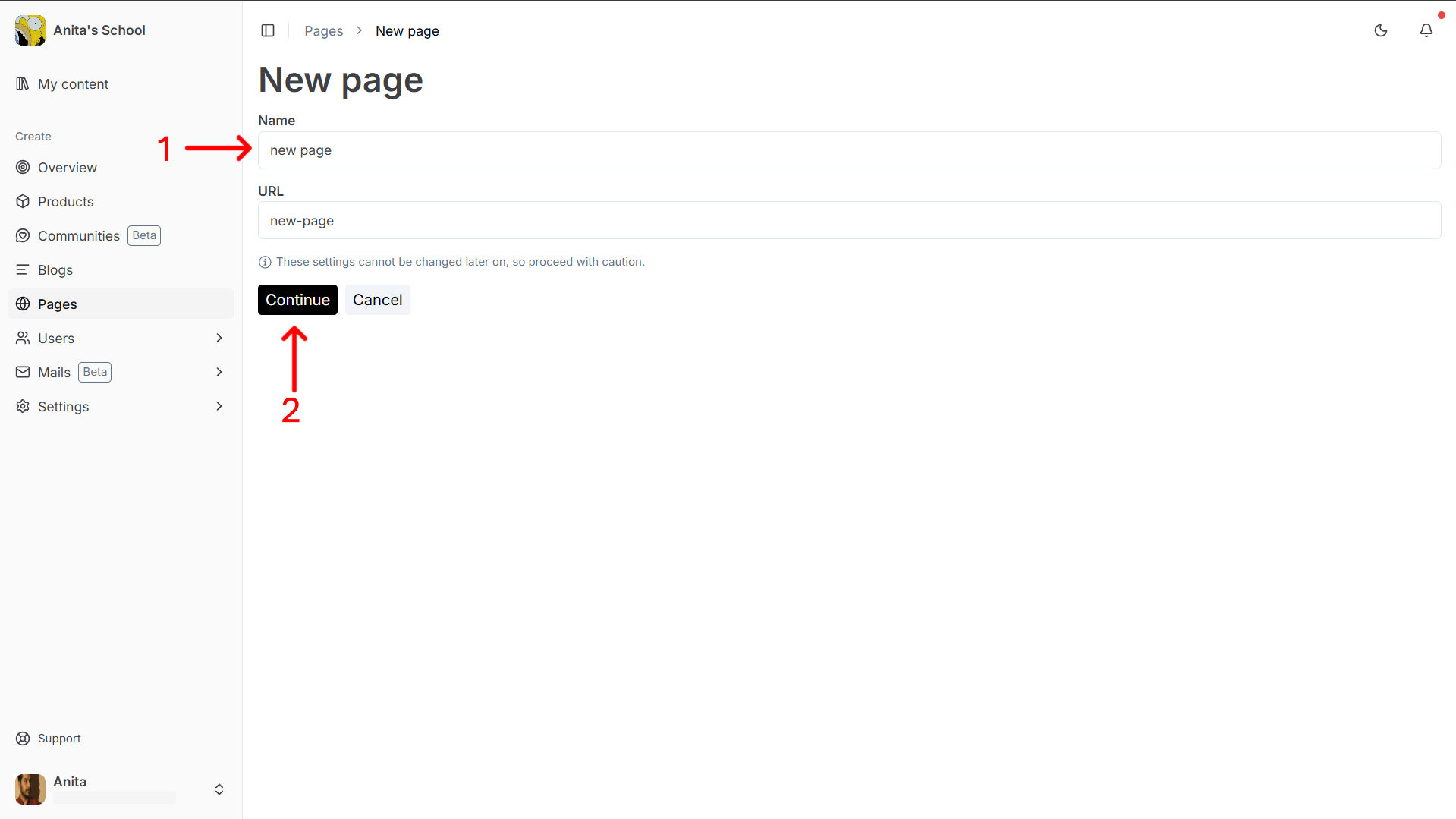
You will be taken to the page builder where you can start adding blocks to your page.
Next step
Stuck somewhere?
We are always here for you. Come chat with us in our Discord channel or send a tweet at @CourseLit.