Customize notifications
Check out our overhauled documentation site, currently in beta:
https://docs-beta.courselit.app
CourseLit lets each user control how they receive notifications for different activities.
This feature is currently in beta, which means you may encounter bugs. Please report them in our Discord group if you run into any issues.
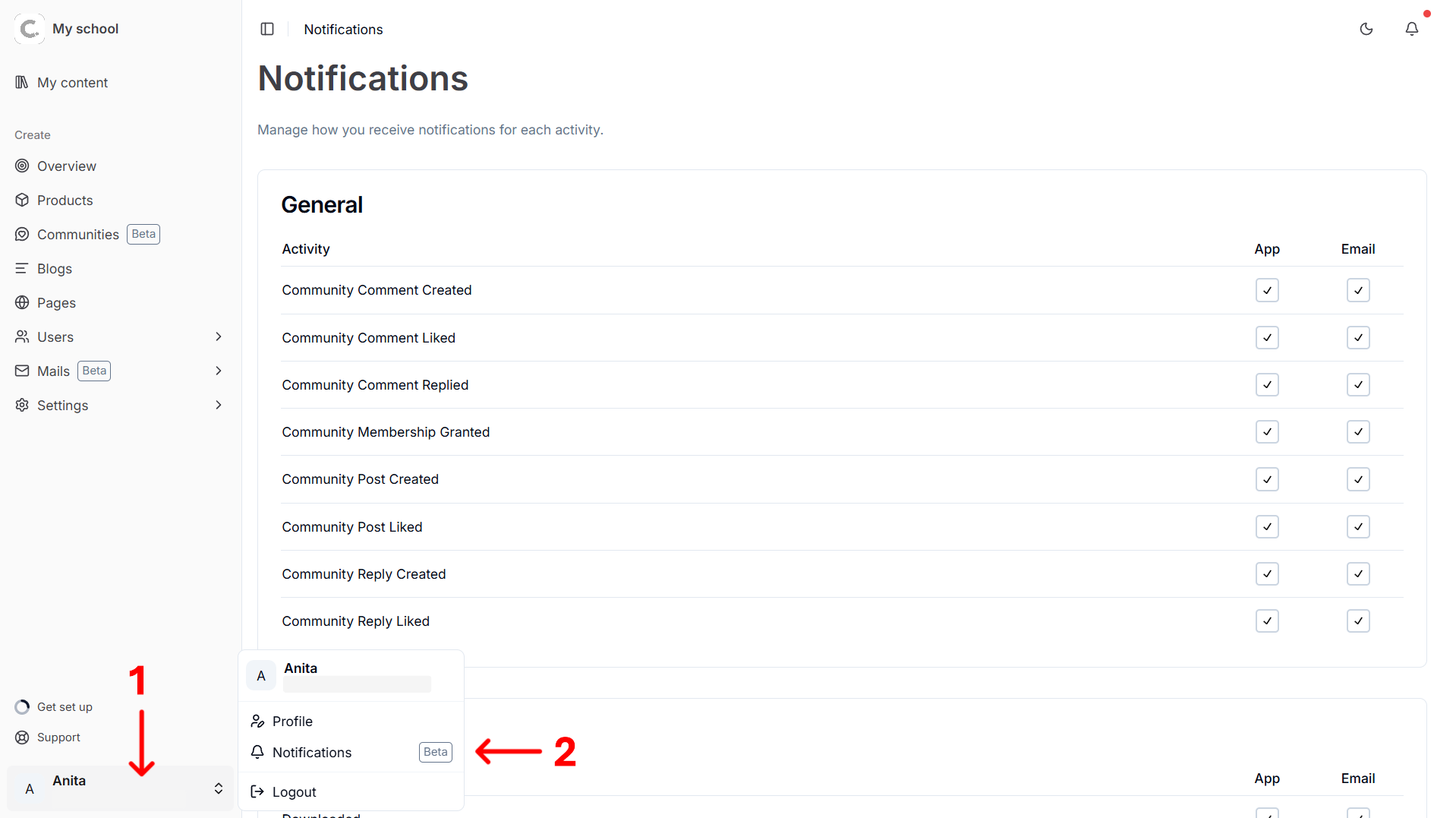
Open notification settings
- Log in to your school.
- Open
Dashboard. - Click on your avatar (in the bottom-left corner) to open up the user menu.
- Click on
Notifications.
Understand notification groups
Notification preferences are shown in groups based on activity type:
- General
- Product
- User
- Community
General notification preferences are available to all users.
Choose channels
Each activity row has two channels:
- App: sends notifications inside your CourseLit dashboard.
- Email: sends notifications to your email inbox.
Tick or untick the checkboxes to turn each channel on or off for that activity. Changes are saved immediately.
Stuck somewhere?
We are always here for you. Come chat with us in our Discord channel or send a tweet at @CourseLit.