Add an embed to a course
Check out our overhauled documentation site, currently in beta:
https://docs-beta.courselit.app
You can easily add embeds to your online courses in CourseLit. This article will show you how.
Add an embed to a course
-
Go to the
Productspage and click on the course you want to add SCORM content to. Click onEdit content. -
Click on
Add lessonin any section. -
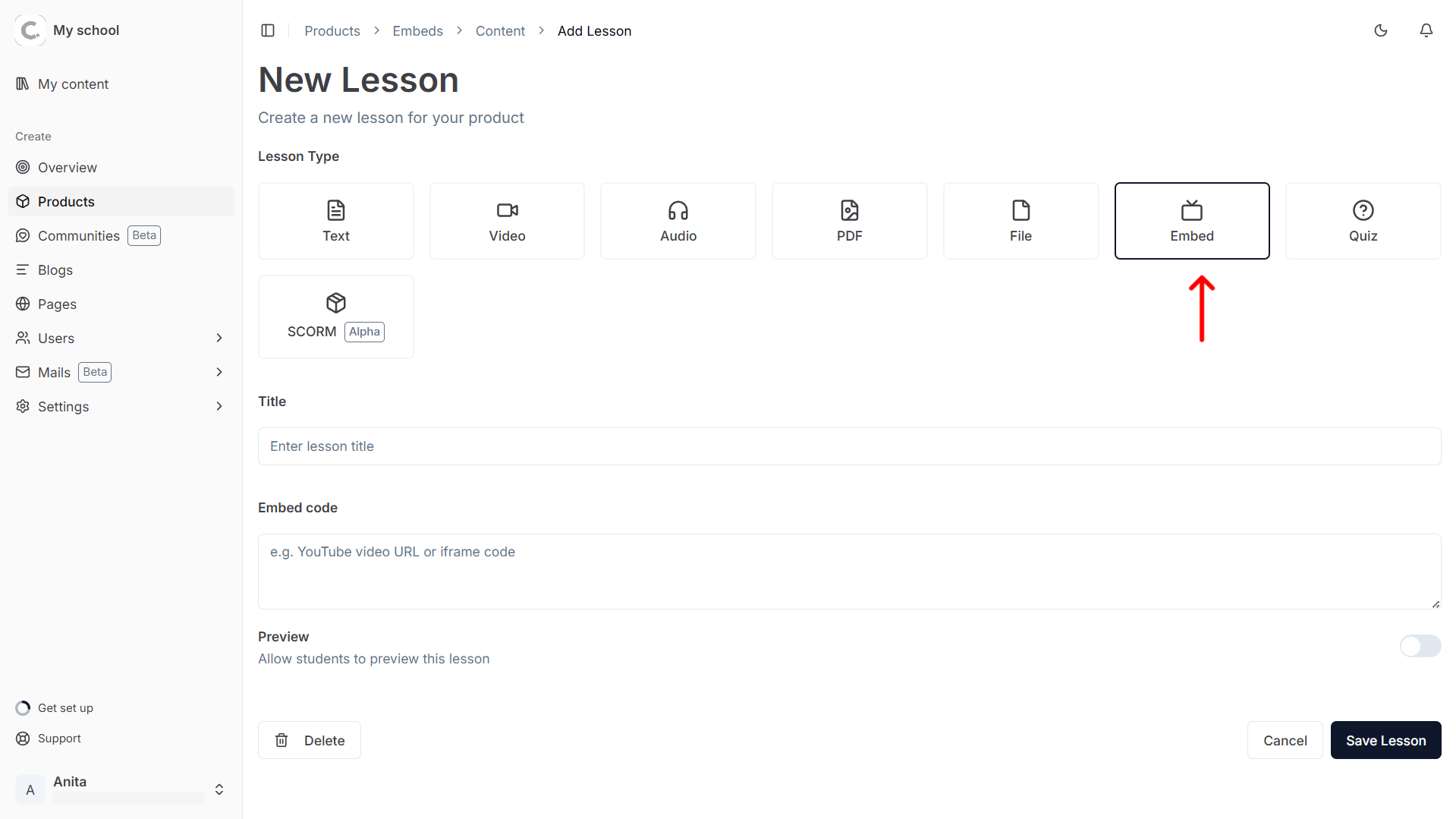
On the New Lesson screen, you’ll see a row of lesson type cards. Click on the
Embedcard to select it.
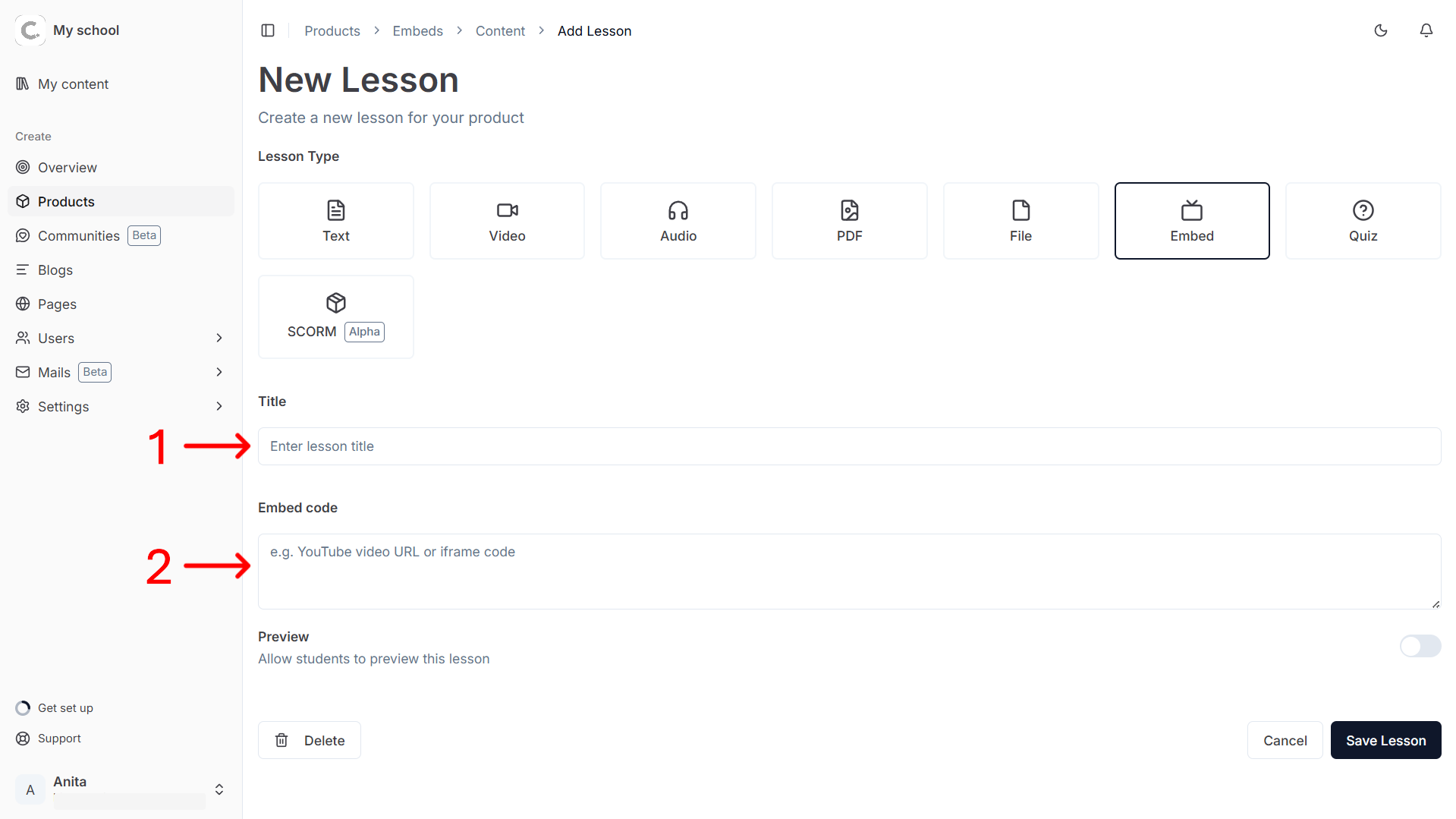
- Enter the title and the embed code.
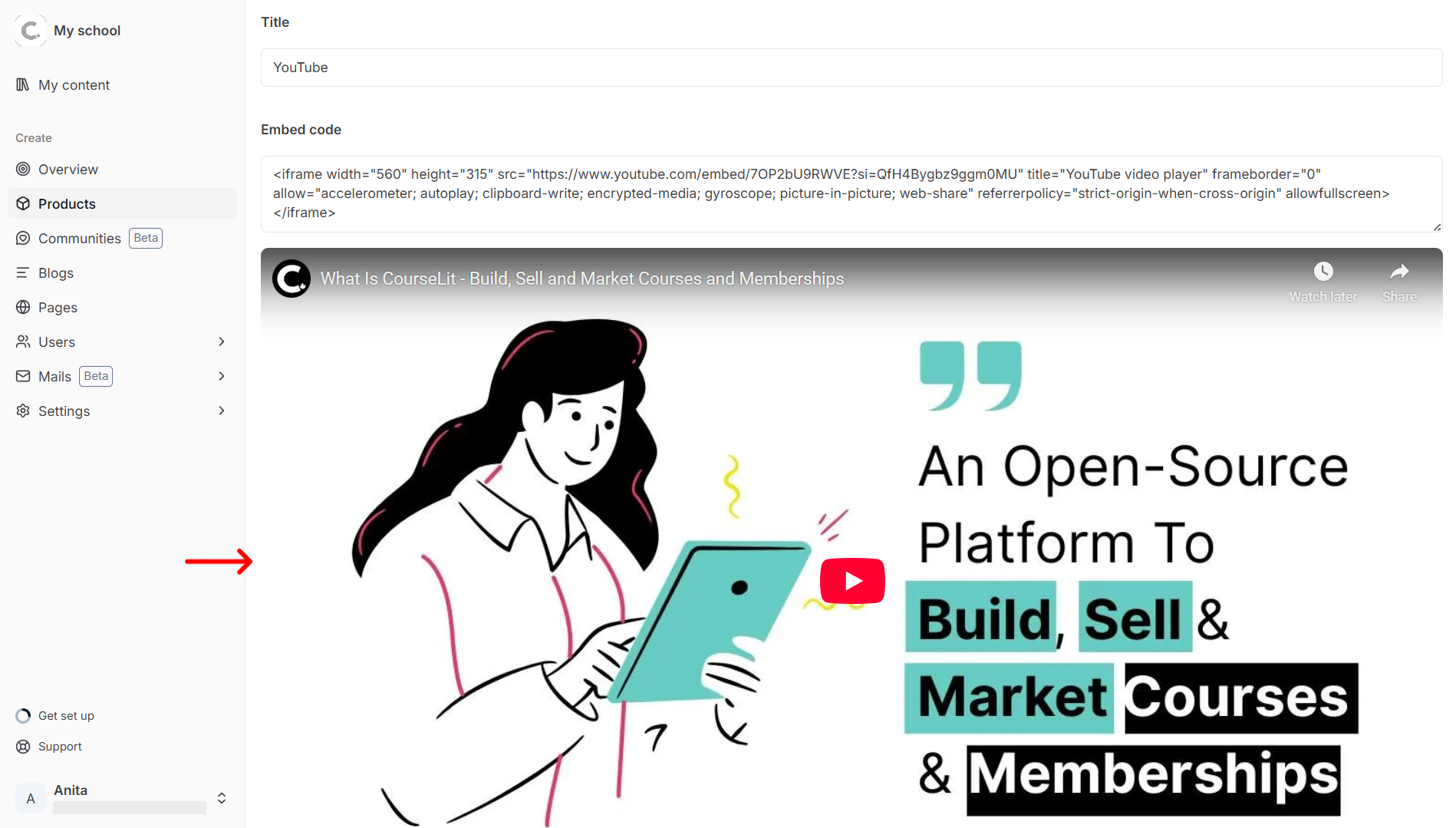
- The preview of the embeddable content will show up below the embed code.
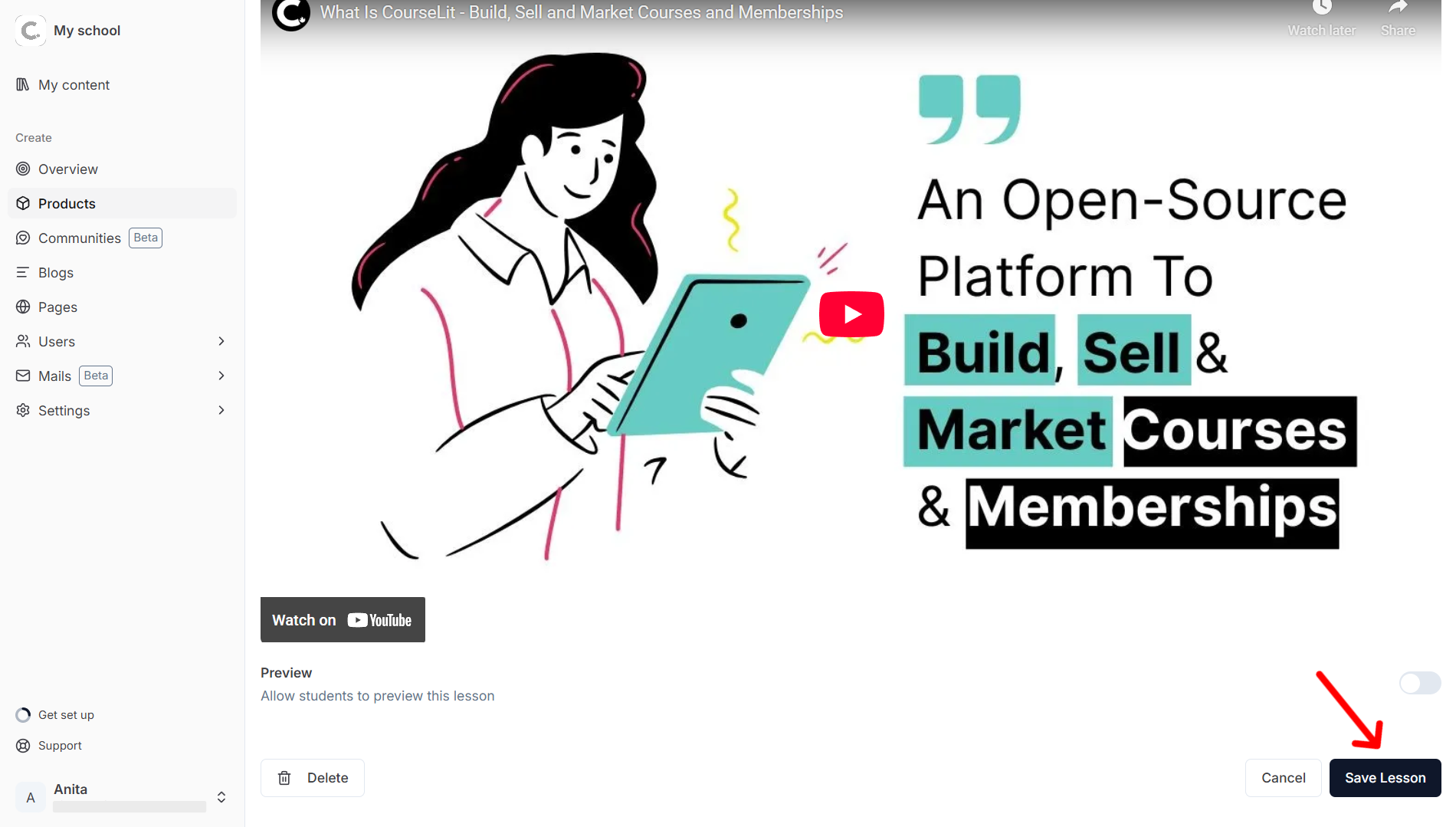
- Hit
Saveto save changes to your lesson.
What embeds are supported
You can see the list of platforms here.
Stuck somewhere?
We are always there for you. Come chat with us in our Discord channel or send a tweet at @CourseLit.