Add a SCORM package to a course
You can add SCORM packages to your courses in CourseLit. This allows you to import interactive e-learning content created with tools like Articulate Storyline, Rise, Adobe Captivate, iSpring, and more.
The feature is currently in alpha, which means you may encounter bugs. Please report them in our Discord group if you run into any.
What is SCORM?
SCORM (Sharable Content Object Reference Model) is an industry standard for e-learning content. It allows content created in one tool to be used in any SCORM-compliant LMS.
CourseLit supports both SCORM 1.2 and SCORM 2004 packages.
Add a SCORM lesson
-
Go to the
Productspage and click on the course you want to add SCORM content to. Click onEdit content. -
Click on
Add lessonin any section. -
On the New Lesson screen, you’ll see a row of lesson type cards. Click on the
SCORMcard to select it. -
Enter a title for your lesson and hit
Save.
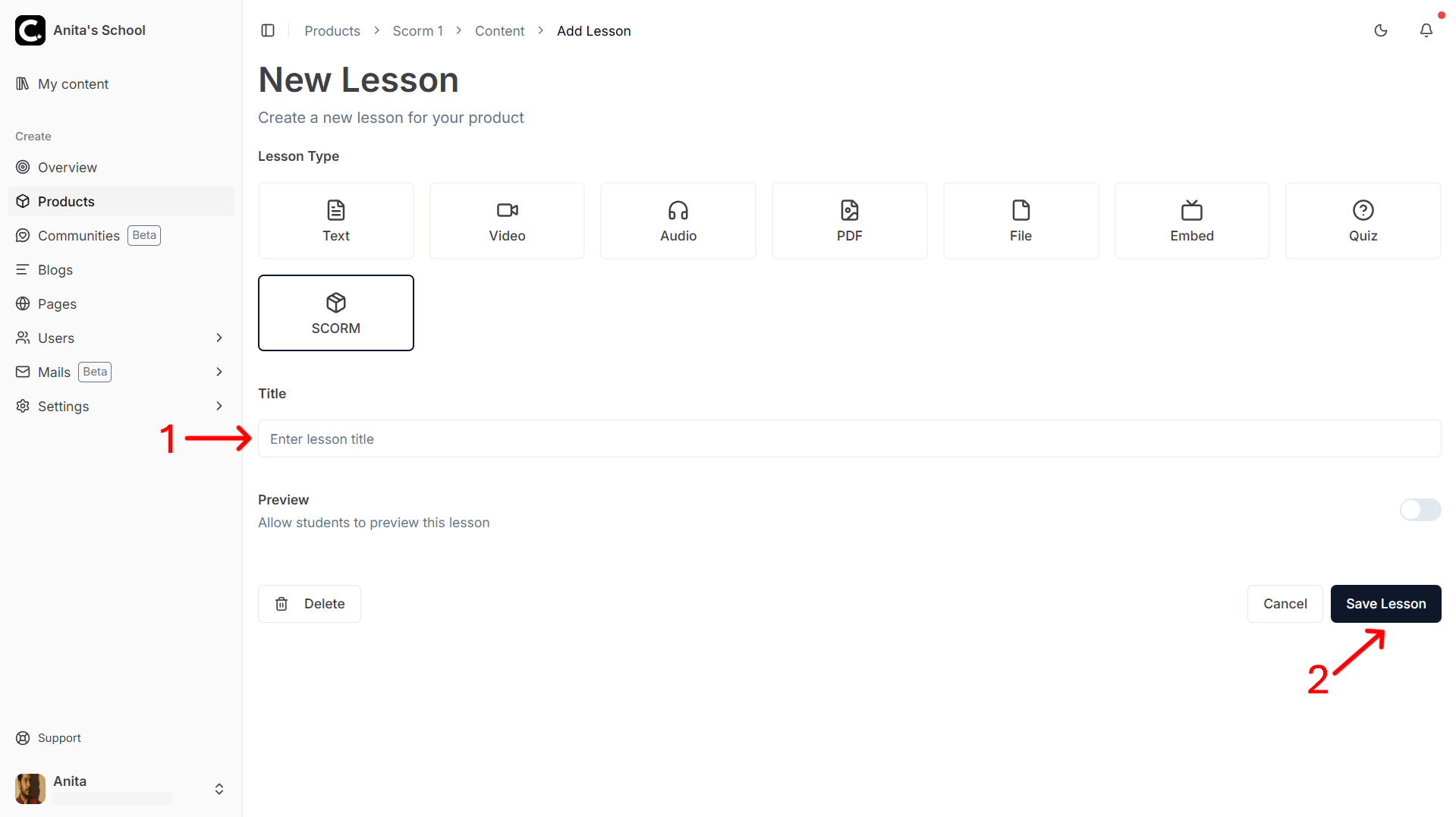
> **Note:** SCORM lessons cannot be previewed. The `Preview` switch will have no effect.5. A SCORM upload area will appear. Click Choose File and select your SCORM package (ZIP file). The maximum file size is 300MB.
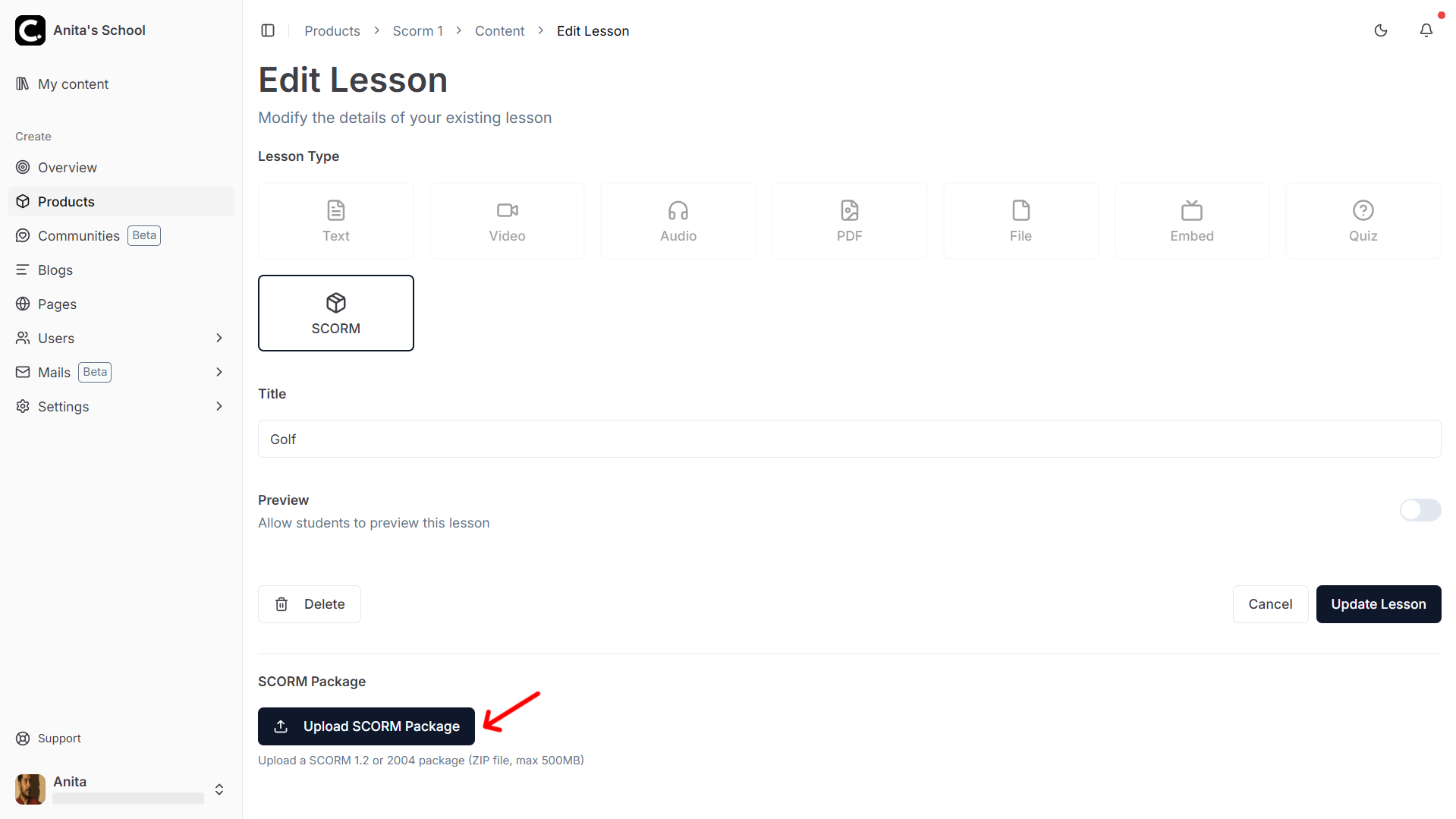
- Wait for the upload to complete. CourseLit will automatically validate the package and extract the course structure.
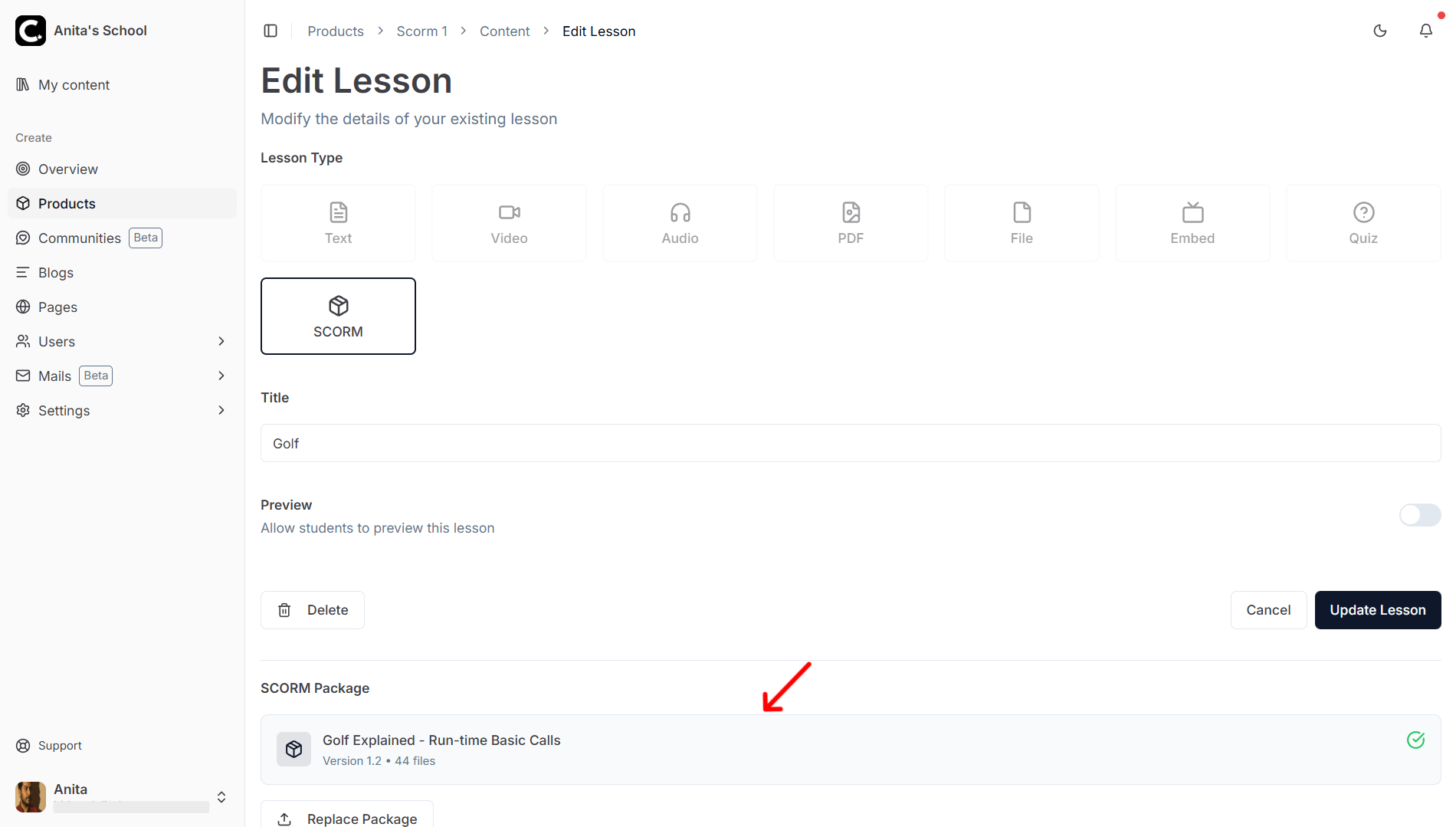
Replacing a SCORM package
To update an existing SCORM lesson with a new version of the package:
- Open the SCORM lesson for editing
- Click the
Replacebutton - Select the new ZIP file
- Wait for the upload to complete
Supported SCORM features
| Feature | SCORM 1.2 | SCORM 2004 |
|---|---|---|
| Progress tracking | ✅ | ✅ |
| Completion status | ✅ | ✅ |
| Resume (suspend data) | ✅ | ✅ |
| Session time | ✅ | ✅ |
| Score reporting | ✅ | ✅ |
How course completion is calculated
CourseLit uses the data reported by the SCORM package to determine completion. When a learner clicks Complete and Continue, CourseLit checks the SCORM status stored in the database.
A lesson is considered complete if ANY of the following conditions are met:
-
Explicit Completion: The package reports a status of
completedorpassed.- For SCORM 1.2:
cmi.core.lesson_statusiscompletedorpassed. - For SCORM 2004:
cmi.completion_statusiscompletedorcmi.success_statusispassed.
- For SCORM 1.2:
-
Participation Fallback: If the package does not report a completion status, CourseLit checks for evidence of participation. The lesson will be marked as complete if any of the following fields are present:
cmi.suspend_data(User made progress)cmi.core.session_time(Time spent is recorded)cmi.core.exit(Clean exit occurred)
Note: If none of these conditions are met, the learner will see an error message asking them to complete the content first.
Learner experience
When a learner opens a SCORM lesson:
- An Enter button is displayed
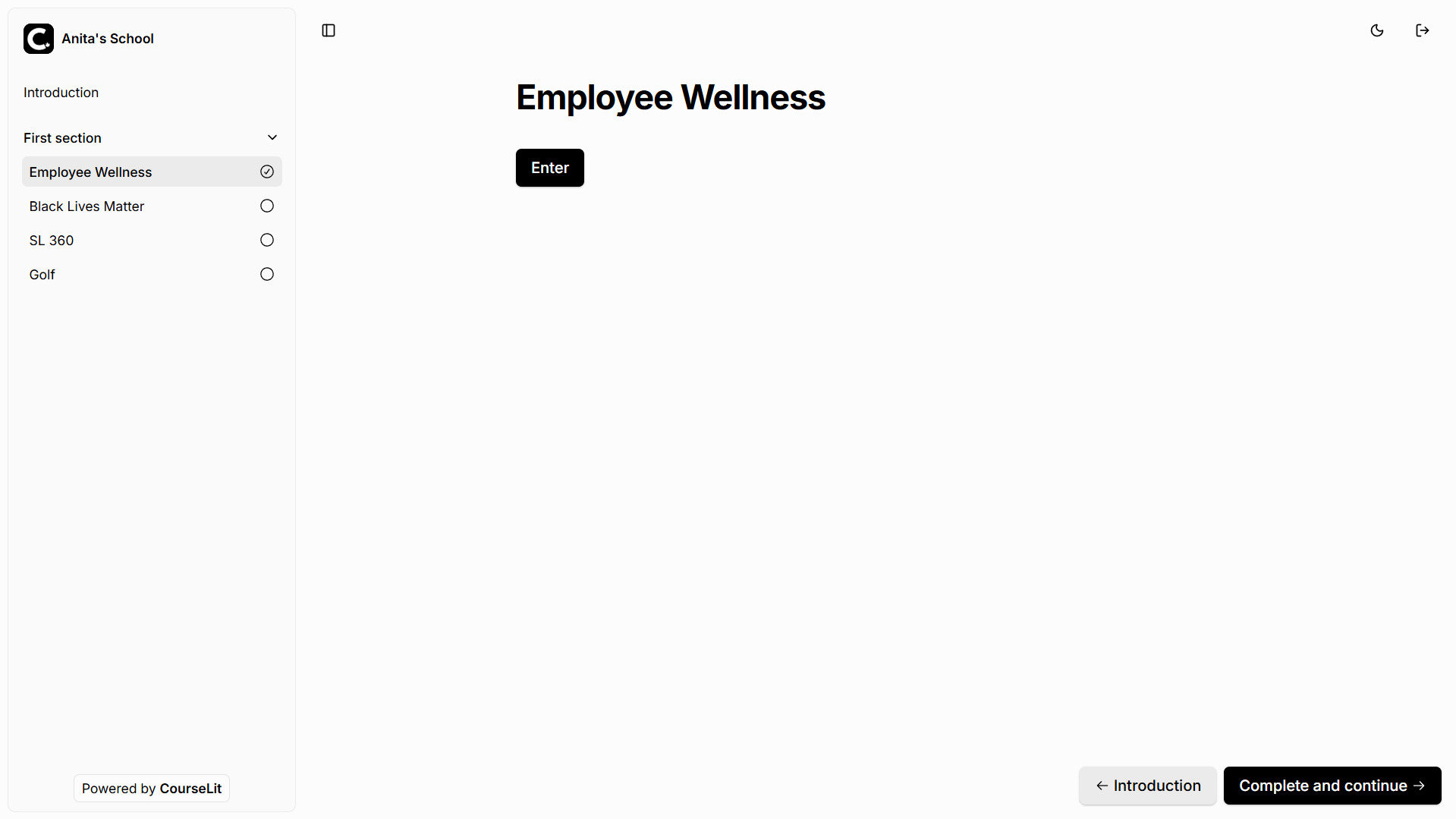
- Clicking the button opens the SCORM content in a popup window
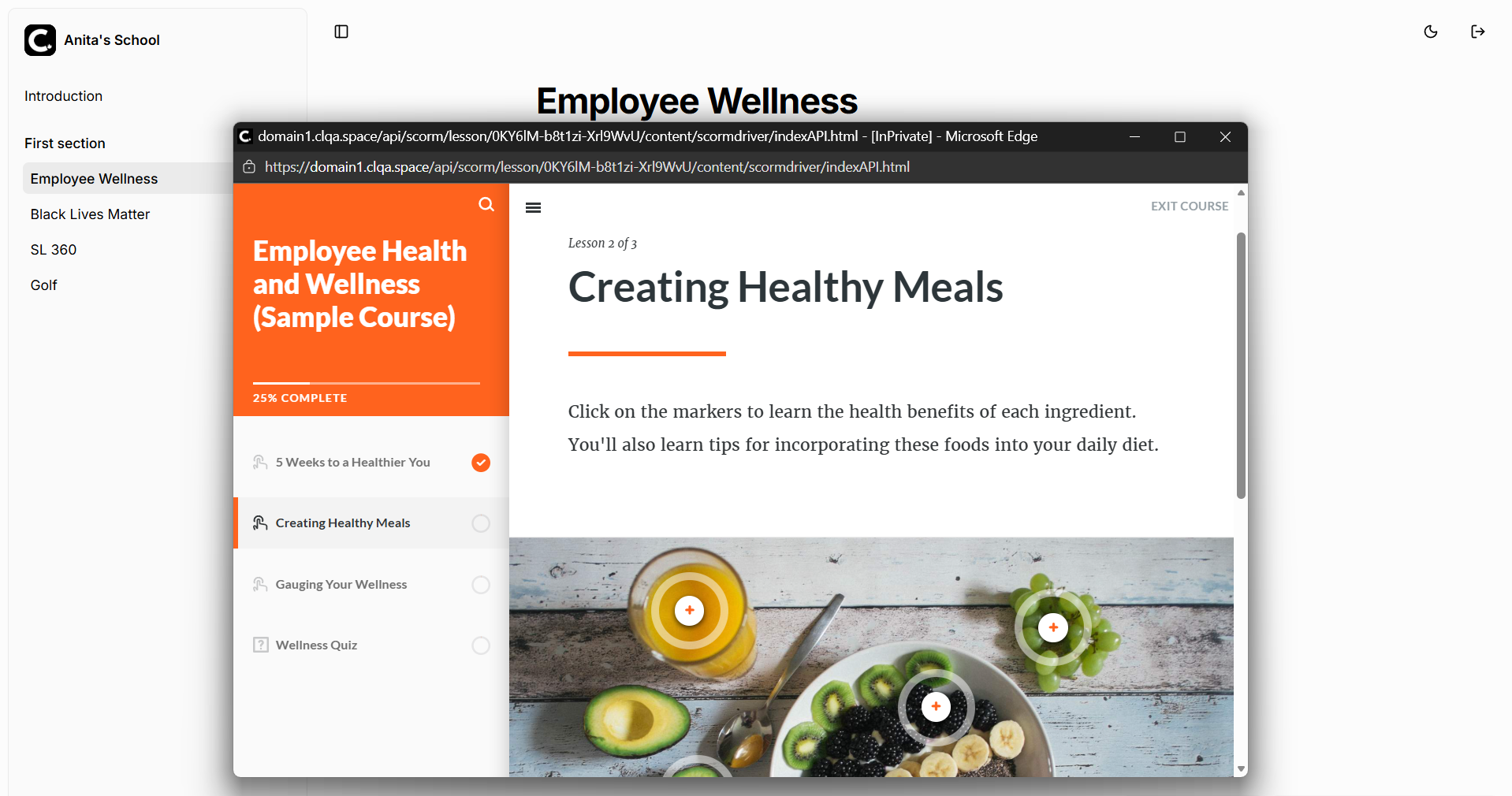
- Progress is automatically saved as the learner interacts with the content
- When the learner closes the popup and returns, they can click Complete and Continue to proceed
Note: Progress is preserved even if the browser is closed unexpectedly. When the learner returns, they will resume from where they left off.
Technical notes
For self-hosted setups
Enabling SCORM
SCORM requires disk-based caching to be enabled. Set the CACHE_DIR environment variable to enable SCORM support:
| Variable | Description | Required |
|---|---|---|
CACHE_DIR | Directory path for cache (SCORM uses CACHE_DIR/scorm) | Yes |
SCORM_PACKAGE_SIZE_LIMIT | Maximum upload size for SCORM packages (in bytes) | No (default: 300MB) |
Note: If
CACHE_DIRis not set, SCORM uploads will be disabled and the SCORM lesson type will appear grayed out in the lesson creator.
Docker Compose Example
services:
    web:
        image: your-app
        deploy:
            replicas: 3
        volumes:
            - cache-data:/app/cache
        environment:
            - CACHE_DIR=/app/cache

volumes:
    cache-data:
Serverless environments
For serverless environments (Vercel, AWS Lambda), you can use /tmp as the cache directory:
CACHE_DIR=/tmpNote that /tmp is ephemeral in serverless - extracted files will be re-extracted on cold starts, but this still works correctly.
Stuck somewhere?
We are always here for you. Come chat with us in our Discord channel or send a tweet at @CourseLit.